
Image Crop & Resize Tool
Crop, resize, and compress your images in seconds — right in your browser. No upload.
- 100% Private
- No Upload
- Unlimited
- Mobile-Friendly
Drag & drop your image here
Or click to browse — supports JPG, PNG, GIF, WebP
How to Crop Image to Passport Size Online (Free, No Software)
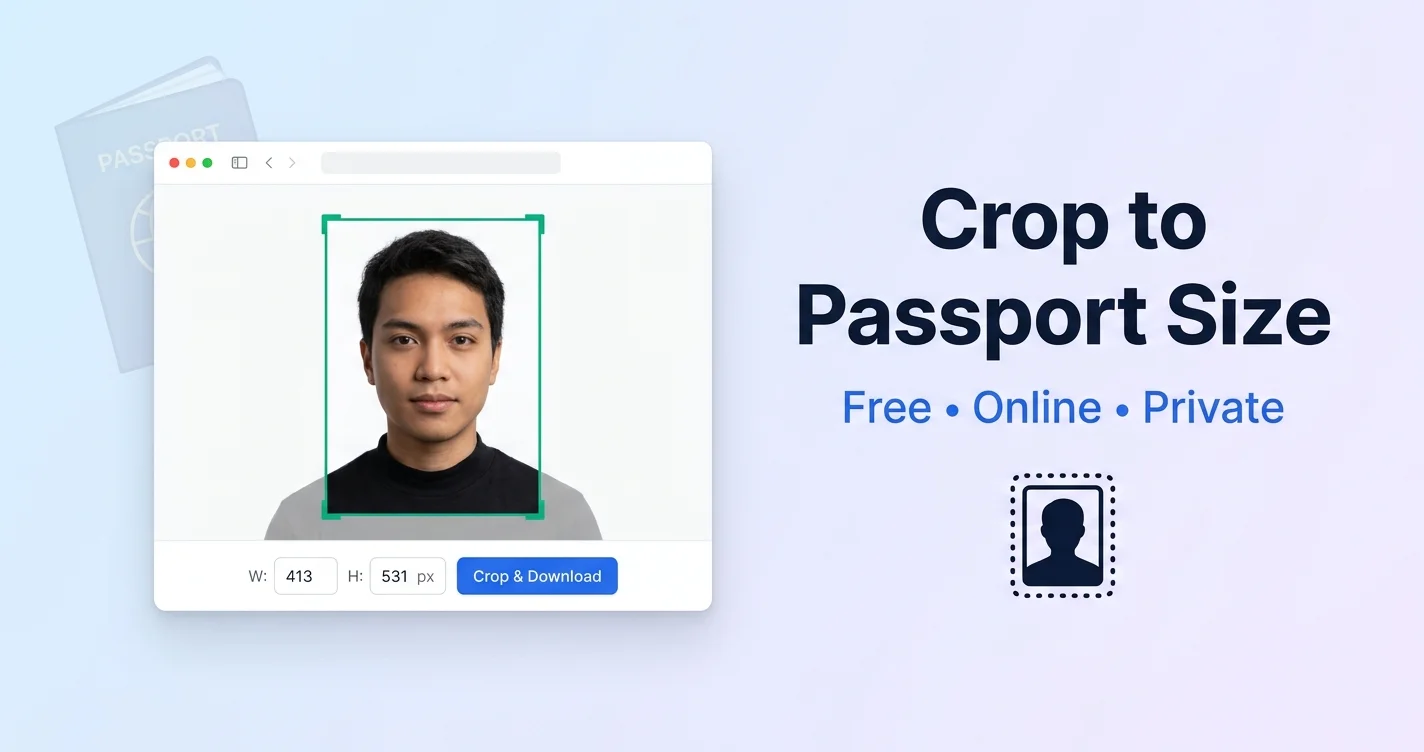
Need a passport size photo but don’t want to pay a studio or download heavy software? You can crop image to passport size right in your browser – free, in under two minutes. Whether it’s for a passport application, visa, government exam form, or college admission, this guide shows you the exact sizes and the simple steps to do it yourself.
By the end, you’ll know the correct passport photo dimensions in pixels, centimeters, and inches – and exactly how to crop your photo to match.
Try it now: Use our free Image Crop & Resize Tool to follow along as you read.
What Is a Passport Size Photo?
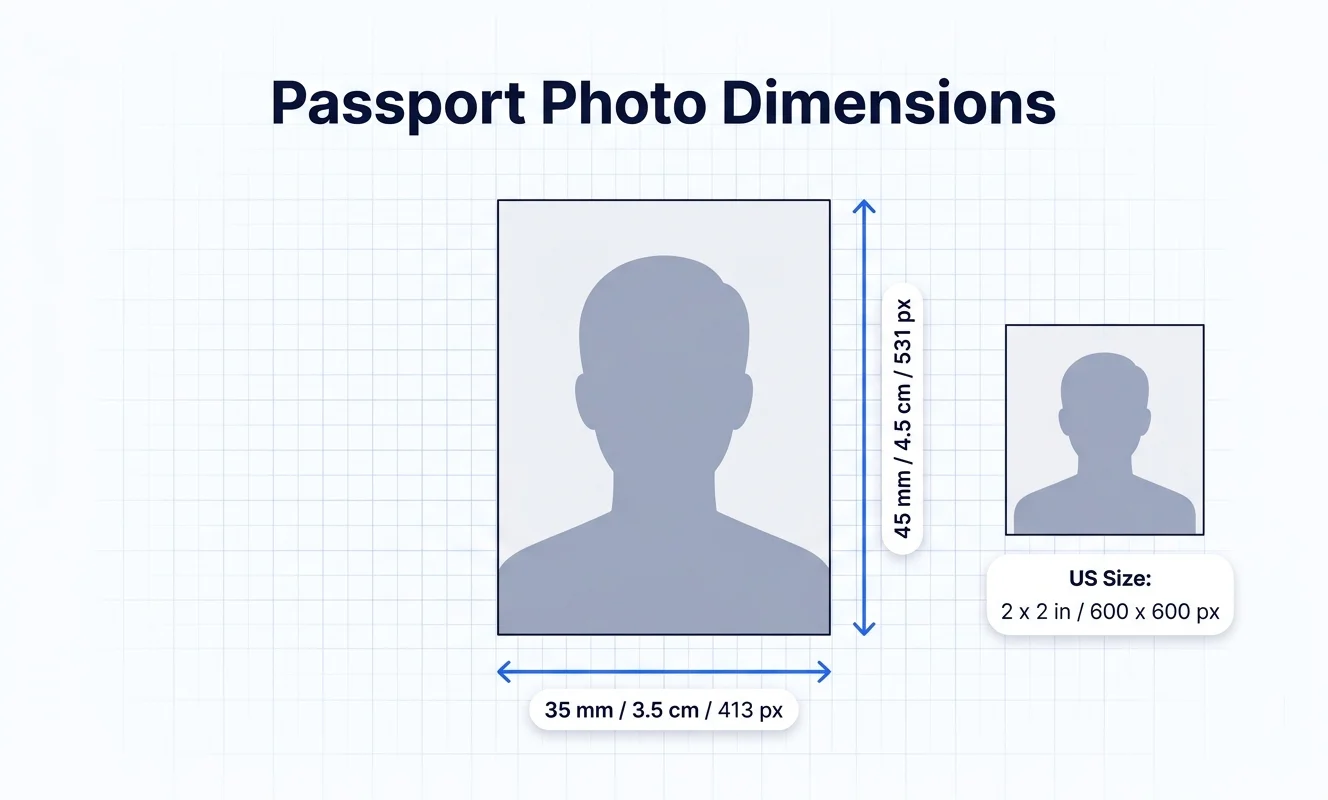
A passport size photo is a small, standardized headshot used for official documents. The exact size depends on the country and the document, but the photo always shows your face and shoulders against a plain light background.
The two most common passport photo sizes worldwide are:
- 35 mm × 45 mm (3.5 cm × 4.5 cm) — used in India, the UK, the EU/Schengen area, and many other countries
- 2 inch × 2 inch (51 mm × 51 mm) — used in the United States
Always check the exact requirement for your specific application, because some portals ask for slightly different dimensions or file sizes.
Passport Photo Sizes by Country
Here are the standard passport photo dimensions for popular countries:
| Country | Size (mm) | Size (cm) | Size (inches) |
|---|---|---|---|
| India | 35 × 45 mm | 3.5 × 4.5 cm | 1.38 × 1.77 in |
| United States | 51 × 51 mm | 5.1 × 5.1 cm | 2 × 2 in |
| United Kingdom | 35 × 45 mm | 3.5 × 4.5 cm | 1.38 × 1.77 in |
| EU / Schengen | 35 × 45 mm | 3.5 × 4.5 cm | 1.38 × 1.77 in |
| Canada | 50 × 70 mm | 5.0 × 7.0 cm | 1.97 × 2.76 in |
| Australia | 35 × 45 mm | 3.5 × 4.5 cm | 1.38 × 1.77 in |
Note: Width always comes first, then height. A passport photo is taller than it is wide (except the US square format).
Passport Photo Size in Pixels
Most online portals and printers work in pixels. To get a sharp, print-ready passport photo, use 300 DPI (dots per inch). Here are the pixel dimensions at 300 DPI:
| Size | Pixels (at 300 DPI) |
|---|---|
| 35 × 45 mm (India, UK, EU) | 413 × 531 px |
| 2 × 2 inch (US) | 600 × 600 px |
| 50 × 70 mm (Canada) | 591 × 827 px |
For screen-only use (not printing), 96 DPI is fine, but 300 DPI is the safe choice for any official application because it stays sharp when printed.
How to Crop Image to Passport Size Online — Step by Step
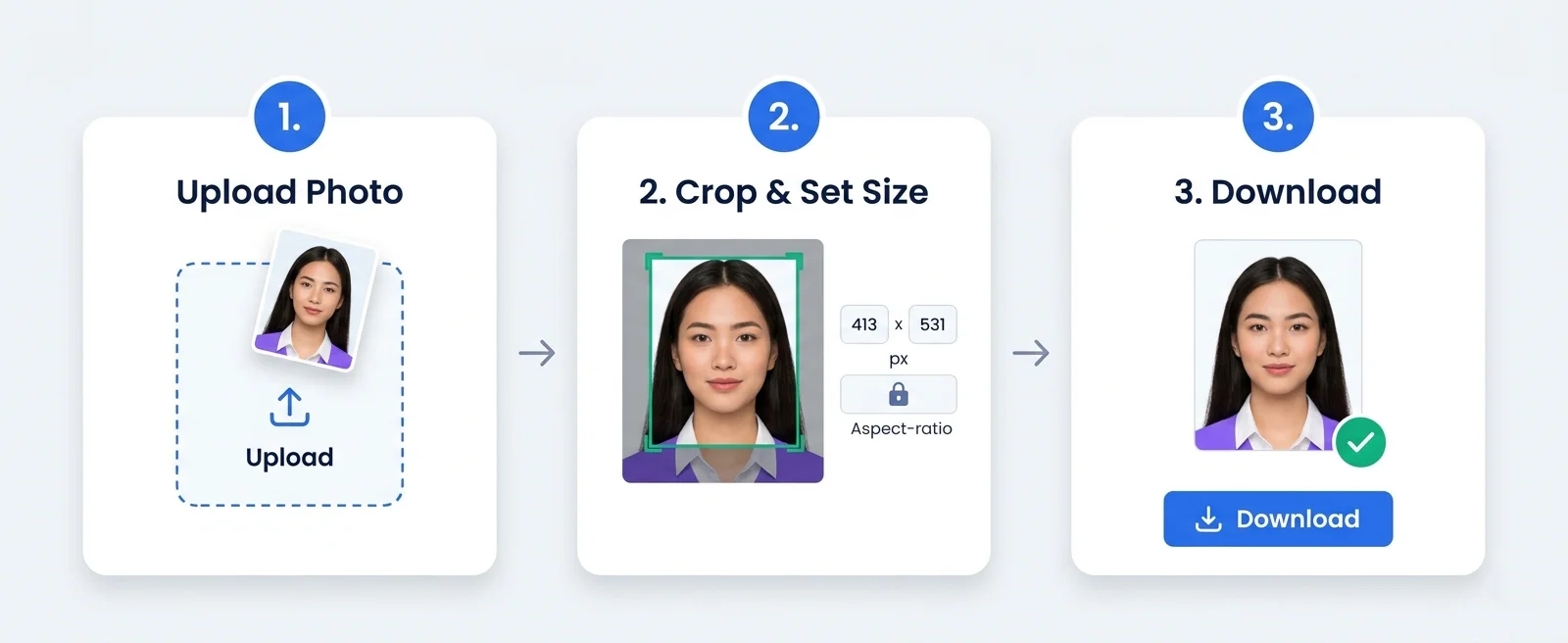
Follow these simple steps using our free Image Crop & Resize Tool:
Step 1: Upload Your Photo
Open the tool and drag your photo into the upload area, or click Browse Files to pick it from your device. Use a clear, front-facing photo with good lighting and a plain background.
Step 2: Crop Around Your Face
Click and drag on the image to draw a crop box around your head and shoulders. Leave a little space above your head and make sure your face is centered. For a 35 × 45 mm photo, the crop should be slightly taller than it is wide.
Step 3: Set the Exact Size
In the resize section, switch the unit to Pixel and enter the dimensions for your country. For an Indian passport photo, enter:
- Width: 413
- Height: 531
Keep Maintain Aspect Ratio checked so your photo doesn’t stretch.
Step 4: Choose Compression
If your portal has a file size limit (many ask for under 50 KB or under 1 MB), pick Medium or High Compression to reduce the file size. Start with Medium and only increase compression if the file is still too large.
Step 5: Download
Click Crop & Download. Your passport size photo saves instantly to your device — ready to upload or print.
How to Meet File Size (KB) Requirements
Many Indian government portals — like Passport Seva, SSC, UPSC, and state exam boards — require the photo to be under a specific file size, often between 10 KB and 100 KB.
Here’s how to hit those limits:
- First crop and resize the photo to the correct pixel dimensions
- If the file is too big, increase the compression level (Medium → High)
- If you need an even smaller file, also reduce the pixel dimensions slightly (for example, 350 × 450 px instead of 413 × 531 px)
- Download and check the file size on your device
- Repeat if needed until you’re under the limit
If your portal needs a specific format like JPEG, you can also use our Image Format Converter to convert and compress further.
Tips for a Valid Passport Photo
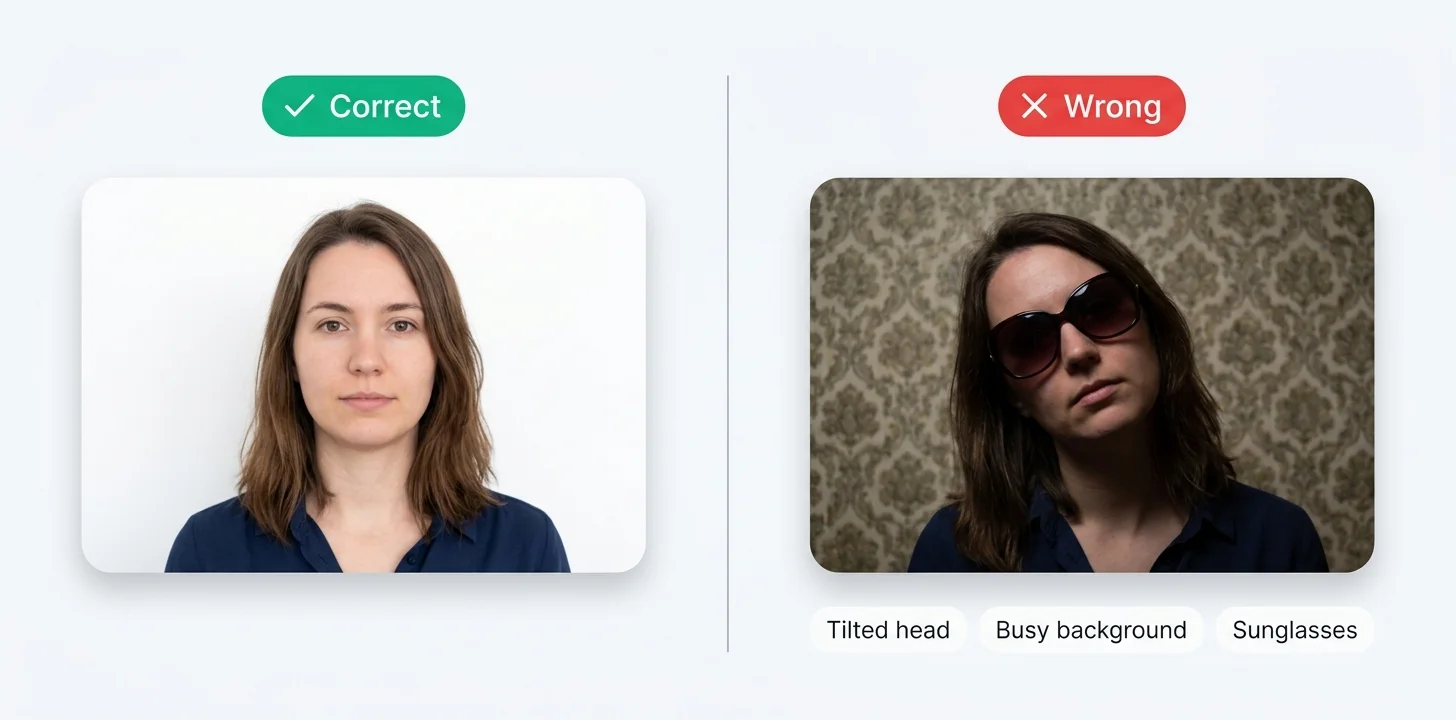
A correctly sized photo can still get rejected if it breaks the rules. Keep these in mind:
- Plain background — Use a white or light-colored plain wall behind you. No patterns, no other people.
- Face the camera — Look straight ahead with a neutral expression. No tilting your head.
- Good lighting — Even lighting on your face with no harsh shadows.
- No accessories — Remove sunglasses, hats, and caps. Regular glasses are usually allowed but avoid glare.
- Recent photo — Use a photo taken within the last 6 months.
- Fill the frame correctly — Your face should take up about 70–80% of the photo height. Don’t crop too tight or too loose.
Check the official guidelines for your application. For Indian passports, you can read the rules on the official Passport Seva website.
Common Mistakes to Avoid
- Stretching the photo — Always keep “Maintain Aspect Ratio” on, or your face will look distorted.
- Using a blurry or upscaled image — Start with a high-quality original. Enlarging a small photo makes it blurry.
- Wrong orientation — Most passport photos are portrait (taller than wide), not landscape.
- Ignoring the file size limit — A perfectly sized photo will still be rejected if the file is too large for the portal.
- Busy background — A cluttered background is the most common reason for rejection.
Why Crop Your Passport Photo Online?
Going to a photo studio costs money and time. Online cropping is:
- Free — No studio fee, no software cost
- Fast — Done in under two minutes from home
- Private — With our browser-based tool, your photo never leaves your device
- Reusable — Save the original and re-crop for different documents anytime
You stay in full control, and you can redo it as many times as you need until it’s perfect.
Frequently Asked Questions
What is the passport size photo dimension in India?
The standard Indian passport size photo is 35 mm × 45 mm (3.5 cm × 4.5 cm), which is about 413 × 531 pixels at 300 DPI. Always check your specific portal, as some online forms ask for slightly different dimensions or file sizes.
How do I crop an image to passport size for free?
Upload your photo to a free online tool like our Image Crop & Resize Tool, draw a crop box around your face, set the width and height in pixels (413 × 531 for India), and download. No software or signup needed.
What is the passport photo size in pixels?
At 300 DPI: a 35 × 45 mm photo is 413 × 531 px, and a 2 × 2 inch US photo is 600 × 600 px. Use 300 DPI for print-ready quality.
How do I reduce my passport photo to under 50 KB?
First crop and resize to the correct dimensions, then apply Medium or High compression. If still too large, slightly reduce the pixel dimensions and download again. Check the file size and repeat until it’s under 50 KB.
Is it safe to crop my passport photo online?
With our tool, yes – all processing happens inside your browser and your photo is never uploaded to any server. For maximum privacy, always choose a browser-based tool that processes images locally.
Can I use my phone to crop a passport photo?
Yes. Our tool works on mobile, tablet, and desktop browsers. You can take a photo on your phone and crop it to passport size right away.
Crop Your Passport Photo Now
Getting a passport size photo doesn’t need a studio or expensive software. With the right dimensions and a free online tool, you can do it yourself in minutes — and keep your photo completely private.
👉 Open the free Image Crop & Resize Tool and crop your passport photo now.